Toybox: Pixel World Sandbox
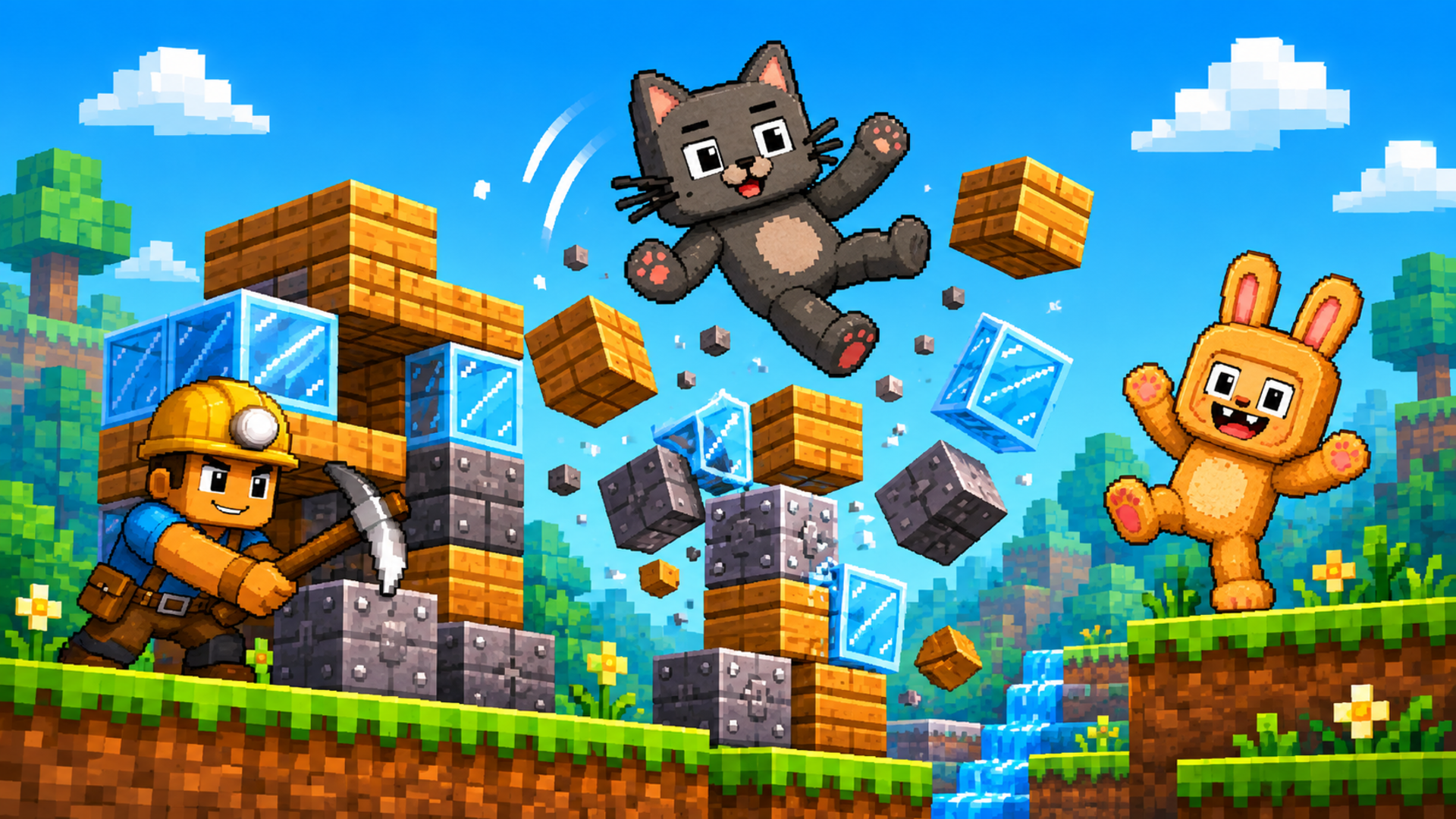
Build a pixel world, fill it with ragdoll characters, and see what happens! Toybox: Pixel World Sandbox is a 2D physics sandbox where you create your own fun. Place blocks, spawn cats, rabbits, pigs and other characters, experiment with weapons and objects, and set up red-versus-green team battles. Take control of a character or watch your creations react to physics. Gather wood and crystals to craft new equipment, then rebuild and try a different idea. No fixed missions or single way to win: your next experiment is the goal.
How to play
- Open the character-and-blocks button, choose a category and an item, then click or tap an empty spot in the world to place it.
- Build structures, add characters and equipment, and use the crossed-swords button to switch bot battles on or off.
- Open the hammer menu to craft equipment when you have the required resources.
- Desktop: use the mouse to place and drag objects.
- SpaceDrag empty space to move the camera; use the mouse wheel or + / - to zoom.
- Press the character-control button and select a character: A / D or Left / Right to move, W to jump, Space or right mouse button to attack, and G to drop the held item.
- Mobile: tap the menus and world to place items, drag to interact, and use the on-screen movement, jump and action controls when controlling a character.
- Use + / - to zoom.


Tap ⋯ at the top right to share with friends
Share with friends
📖 About this game
Build a pixel world, fill it with ragdoll characters, and see what happens! Toybox: Pixel World Sandbox is a 2D physics sandbox where you create your own fun. Place blocks, spawn cats, rabbits, pigs and other characters, experiment with weapons and objects, and set up red-versus-green team battles. Take control of a character or watch your creations react to physics. Gather wood and crystals to craft new equipment, then rebuild and try a different idea. No fixed missions or single way to win: your next experiment is the goal.
🎮 How to play
- Open the character-and-blocks button, choose a category and an item, then click or tap an empty spot in the world to place it.
- Build structures, add characters and equipment, and use the crossed-swords button to switch bot battles on or off.
- Open the hammer menu to craft equipment when you have the required resources.
- Desktop: use the mouse to place and drag objects.
- SpaceDrag empty space to move the camera; use the mouse wheel or + / - to zoom.
- Press the character-control button and select a character: A / D or Left / Right to move, W to jump, Space or right mouse button to attack, and G to drop the held item.
- Mobile: tap the menus and world to place items, drag to interact, and use the on-screen movement, jump and action controls when controlling a character.
- Use + / - to zoom.
Build a pixel world, fill it with ragdoll characters, and see what happens! Toybox: Pixel World Sandbox is a 2D physics sandbox where you create your own fun. Place blocks, spawn cats, rabbits, pigs and other characters, experiment with weapons and objects, and set up red-versus-green team battles. Take control of a character or watch your creations react to physics. Gather wood and crystals to craft new equipment, then rebuild and try a different idea. No fixed missions or single way to win: your next experiment is the goal.
How to play
- Open the character-and-blocks button, choose a category and an item, then click or tap an empty spot in the world to place it.
- Build structures, add characters and equipment, and use the crossed-swords button to switch bot battles on or off.
- Open the hammer menu to craft equipment when you have the required resources.
- Desktop: use the mouse to place and drag objects.
- SpaceDrag empty space to move the camera; use the mouse wheel or + / - to zoom.
- Press the character-control button and select a character: A / D or Left / Right to move, W to jump, Space or right mouse button to attack, and G to drop the held item.
- Mobile: tap the menus and world to place items, drag to interact, and use the on-screen movement, jump and action controls when controlling a character.
- Use + / - to zoom.
The game keeps running. Swipe down or tap outside to close
Game source: Playgama · Copyright belongs to the original developer · Game sources & licensing
Related games More Arcade